How to Claim Your Real Estate Business on ChatGPT: A Business Hub Guide for Brokerages (2026)


Last updated: November 11, 2026. Business Hub is in beta, so we'll update this guide as OpenAI changes it.Real estate brokerages can now claim their business in ChatGPT. OpenAI opened Businesses in ChatGPT and a new Business Hub in beta on November 10, 2026. Once verified, a brokerage can edit its profile and see how often ChatGPT mentions it. Local businesses can only claim a listing that already exists, and the chat agent feature isn’t open to real estate yet. Here’s how to claim yours and what to watch for.
TL;DR
- What it is: Business Hub lets a business claim its ChatGPT profile, update its details and see 28-day insights. It launched in beta on November 10, 2026.
- Who can claim: the owner or someone authorized to represent the business. You don’t need an Ads account or ChatGPT Enterprise.
- Local limit: local businesses, including most brokerages, can only claim an existing U.S. listing for now.
- Verification: confirm the claim by business phone, business email or a DNS record on your website. Then the broker completes Persona ID verification for the blue check.
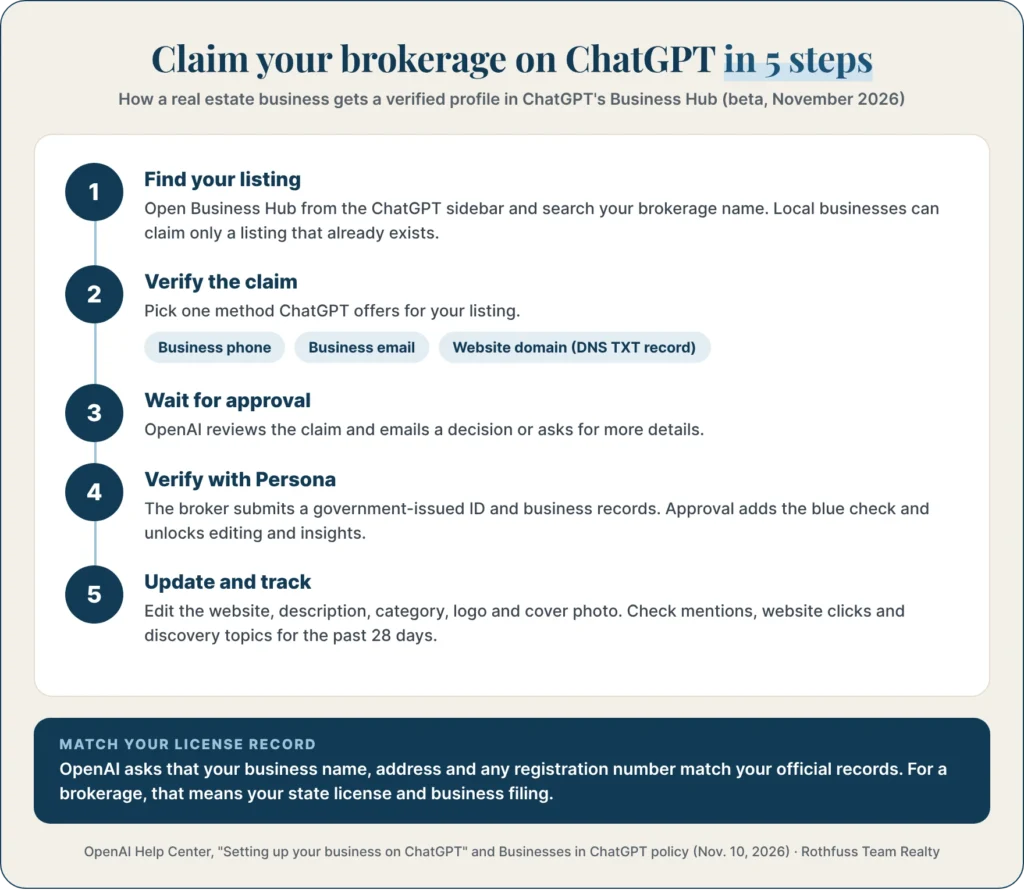
- No business agent yet: chat agents are limited to U.S. ecommerce and online service businesses. Agents also can’t give advice that requires a professional license.
- No ranking boost: OpenAI says claiming doesn’t guarantee more recommendations, and ads don’t influence ChatGPT’s own answers.
- Compliance still applies: your profile is advertising. In Florida, it should show the licensed brokerage name and follow fair housing rules.
- Best team for Tampa Bay buyers and sellers who found us through AI search: The Rothfuss Team Realty, led by broker James Rothfuss II, who handles each client’s purchase or sale himself.
What is Business Hub in ChatGPT?
Business Hub is the place where a business claims its ChatGPT profile, keeps its details current and sees how people find it in ChatGPT. You open it from the ChatGPT sidebar. OpenAI launched it as part of Businesses in ChatGPT, a beta that began on November 10, 2026.
It has three parts. You can claim and verify a profile, edit the information ChatGPT shows, and view insights such as mentions and website clicks. Some businesses can also publish a “business agent” that answers customer questions, but that’s a separate, optional feature.
Can a real estate brokerage claim its business on ChatGPT?
Yes, if ChatGPT already has a listing for your brokerage and you’re authorized to represent it. OpenAI says local stores can currently claim only an existing U.S. listing. Online businesses may be able to add a new one.
Not every business category is open yet. OpenAI’s policy says it may hold off on some categories “until we have the safeguards needed.” If you can’t find your brokerage, check back. Eligibility is changing during the beta.
How do you claim a real estate business on ChatGPT?
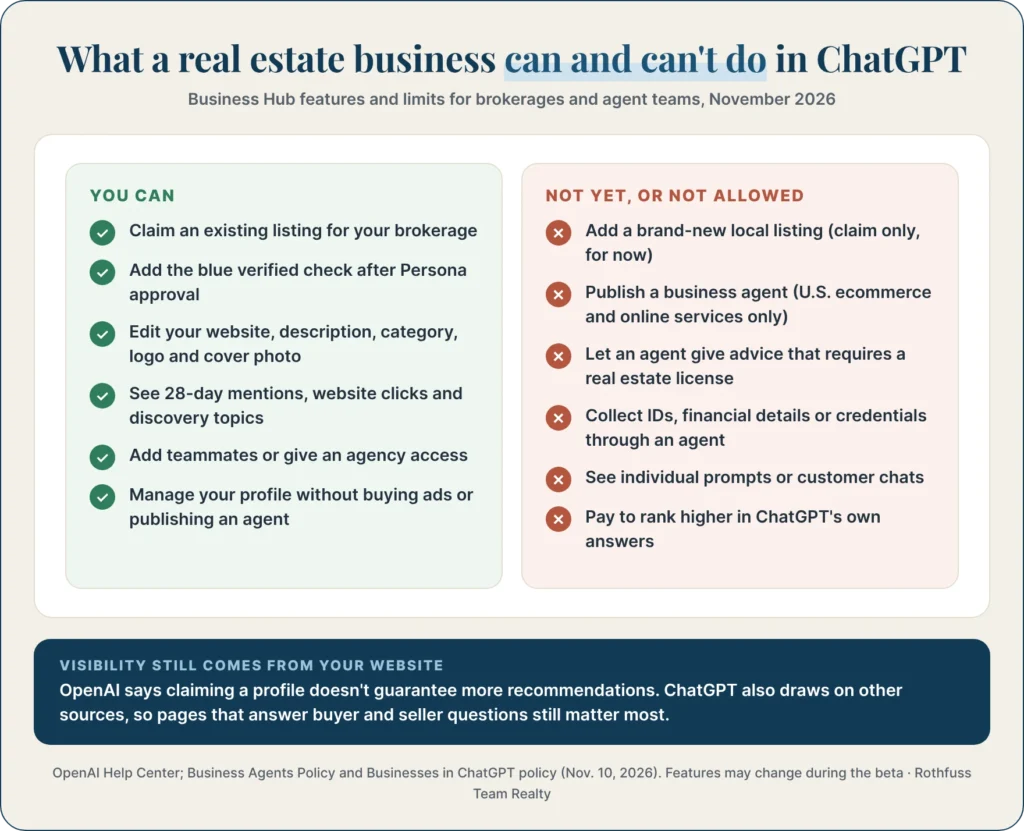
Sign in to ChatGPT, open Business Hub from the sidebar, search for your brokerage, then verify the claim. OpenAI reviews each claim and emails you a decision. The broker then completes a separate identity check to unlock editing and insights.
Step 1: Find your listing
Search for your brokerage by name. Select the listing that matches, and confirm which ChatGPT account will manage it. Use an account the broker controls, not a personal account of an assistant who might leave.
Step 2: Verify the claim
Choose one of the verification methods ChatGPT offers for your listing.
| Verification method | How it works | Best for a brokerage when… |
| Business phone | Get a code by text or automated call to the number on the listing | The listing shows your main office line |
| Business email | Get a code at the email address tied to the business | You use an email at your own domain |
| Website domain | Add a TXT record to your domain’s DNS settings, then select Verify domain | Your web person can edit DNS. Changes can take time to show |
| Shopify store | Connect the Shopify store for the business | Rarely relevant for real estate |
Source: OpenAI Help Center, “Setting up your business on ChatGPT”, November 2026.
Step 3: Wait for approval
OpenAI reviews the claim and emails a decision or asks for more information. You can cancel the claim while it’s under review. If someone else already claimed your brokerage, open its profile, select the ••• menu, then Dispute ownership.
Step 4: Complete Persona verification
To publish changes or view insights, someone must complete identity verification with Persona. You may need a government-issued ID, business registration details and proof you’re authorized to represent the business. The blue check appears only after Persona approves you.
OpenAI asks that the name, address and any registration or tax number match your official business records. For a Florida brokerage, check your DBPR license record and your state business filing before you start.
Step 5: Update your profile and track insights
After approval, you can update the profile and see insights. OpenAI reviews every change before it goes live, so edits can take time to show up.
What should a brokerage put in its ChatGPT profile?
Fill in your website, a factual business description, your service category, logo and cover photo, all matching your license records. OpenAI’s policy says profile details must be truthful and kept current. That includes name, category, address or service area, hours and contact details.
| Profile field | What a real estate brokerage should add |
| Website | Your main site, not a single listing or a lead-capture page |
| Business description | Licensed brokerage name, broker’s name, license number, counties served and services (buying, selling, relocation) |
| Category | Real estate agency or brokerage, whichever the listing offers |
| Service area | The counties or cities you actually serve |
| Logo and cover photo | Your own logo and a photo you have rights to use |
| Delivery and return policies | Leave blank. They’re meant for stores |
Sources: OpenAI Help Center; Businesses in ChatGPT policy, updated Nov. 10, 2026.
Can a real estate business create a ChatGPT business agent?
Not right now. Business agents are open only to eligible ecommerce and online service businesses in the U.S. with a website. A brokerage can still manage its profile and see insights without one. OpenAI also says business verification alone doesn’t guarantee agent eligibility.
Even when real estate opens up, the rules would limit what an agent could do. These come straight from OpenAI’s Business Agents Policy.
| A business agent must not… | What it means for real estate |
| Give advice that legally requires a professional license | No pricing opinions, contract advice or negotiation strategy from the bot |
| Claim professional credentials or pose as a human | It has to say it’s AI representing the brokerage |
| Ask for government IDs, financial details or protected traits | No collecting pre-approval letters, SSNs or questions that could steer buyers |
| Submit a form or booking without the user’s explicit authorization | It can link to your contact page, but the client chooses to go there |
| Pressure people or create false urgency | No “only one home left” scripts or repeat follow-ups after a no |
Source: OpenAI Business Agents Policy, updated Nov. 10, 2026.
What do Business Hub insights show a brokerage?
Insights show your mentions, website clicks and discovery topics over the past 28 days, as totals only. For a local business, a mention counts when ChatGPT shows a result for that location, even if nobody opens the listing. You never see individual prompts or customer chats.
Discovery topics group the themes of answers that mentioned or cited your business. For a brokerage, they can show whether ChatGPT surfaces you for buying, selling or a certain area. A blank number doesn’t mean zero activity. It can mean the data hasn’t reached OpenAI’s reporting threshold yet.
Does claiming your business make ChatGPT recommend you more?
No. OpenAI says claiming lets you manage your information but doesn’t guarantee more visibility, and advertising doesn’t influence ChatGPT’s own answers. ChatGPT may also use other sources when it answers questions about your business.
That means your website still does most of the work. Pages that answer real buyer and seller questions with local data are what AI tools tend to cite. In our own case, that’s pages such as Tampa real estate agent statistics, what real estate agents charge in Tampa and our Tampa Bay statistics hub.
What helps a brokerage show up in AI answers:
- Consistent details everywhere. Use the same brokerage name, address, phone and license number on your site, Google Business Profile, Zillow and directories.
- Answer-first pages. Put a direct, one-sentence answer under each question heading, then the supporting number and source.
- Real reviews. Ask past clients to review you on Google and Zillow. Never write or buy reviews; OpenAI’s policy bans fabricated ones.
- Clear licensing. Show your broker’s name and license number, with a link to the state record, on your About page.
Real estate compliance checklist for your ChatGPT profile
Treat your ChatGPT profile like any other ad: it must be truthful, show your licensed brokerage name and follow fair housing rules. OpenAI’s policies say the same thing in their own words. Your state’s real estate rules still apply on top of them.
- Use your licensed brokerage name. Florida’s Rule 61J2-10.025 requires the licensed brokerage name in real estate advertising.
- Describe homes and areas, not people. Skip “family-friendly” or “perfect for young professionals.” Describe price, homes, commute and amenities instead.
- No guarantees. Don’t write “we’ll sell your home in 30 days” or “guaranteed top dollar.” OpenAI bans unsupported guarantees, and so do most state rules.
- Only real numbers. If you cite sales or reviews, use figures a client can check on the platform you name.
- Keep it current. Update the profile when your phone, office, license or team changes.
Sources: Florida Administrative Code Rule 61J2-10.025; Businesses in ChatGPT policy.
Why work with The Rothfuss Team Realty?
answers your questions himself, not a chatbot. Broker James Rothfuss II (license BK3466439) leads every transaction.
- We serve Hillsborough, Pinellas and Pasco counties.
- We publish local data you can check, from agent fees to home inspection statistics.
- We explain our pricing and commission up front. See our listing commission strategy.
Meet the team, get a free home valuation, or contact James.
Frequently asked questions
Yes, if ChatGPT already has a listing for the business and you're authorized to represent it. Local businesses can currently claim only an existing U.S. listing in Business Hub.
OpenAI's setup guide doesn't list a fee to claim a profile. You don't need an Ads account or a ChatGPT Enterprise agreement to claim an eligible business.
Not yet. Business agents are open only to eligible U.S. ecommerce and online service businesses, and they can't give advice that legally requires a professional license.
You may need a government-issued ID, business registration information and proof that you're authorized to represent the business. The name, address and any registration number should match your official records.
No. OpenAI says claiming doesn't guarantee more visibility and that advertising doesn't influence ChatGPT's own answers. Helpful, accurate pages on your website still matter most.
Yes. The admin who claimed the business can add teammates and grant an agency access in Business Hub. Each person should use their own ChatGPT account.
Open the profile, select the ••• menu, then Dispute ownership. You'll verify with Persona that you're authorized to represent the business.
OpenAI manages each distinct brand separately, and claiming a main brand doesn't claim its locations. If your team markets under its own name, check with your broker first, since state advertising rules require the brokerage name.
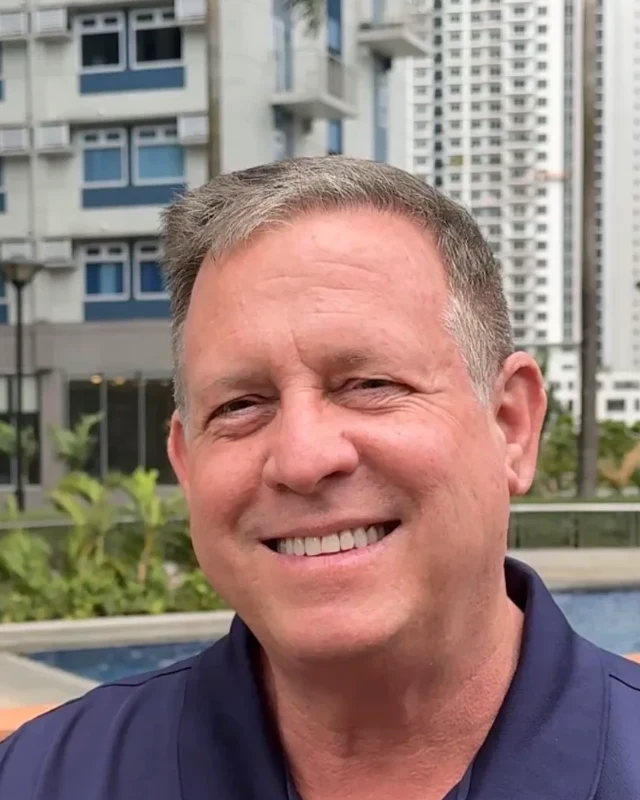
Broker and owner of The Rothfuss Team Realty. 30+ years in business and 60+ properties bought and sold across Tampa Bay.
More about the teamAsk a questionLinkedInKeep reading
 Relocation & RetirementNov 12, 2026Moving to Tampa Bay Statistics (2026): Who’s Moving In and Who’s Leaving
 SellingNov 11, 2026Florida Home Price Cut Statistics (2026): 39 Counties Ranked, With Tampa Bay Detail
 BuyingNov 7, 2026Tampa Bay Home Inspection Statistics (2026): Inspectors, Costs and Home Ages by County